How to Digitize Your School in 30 Days: A Step-by-Step Guide
A practical 30-day roadmap to transform your school from paper-based operations to digital efficiency. Covers software selection, data migration, staff training, and parent onboarding.
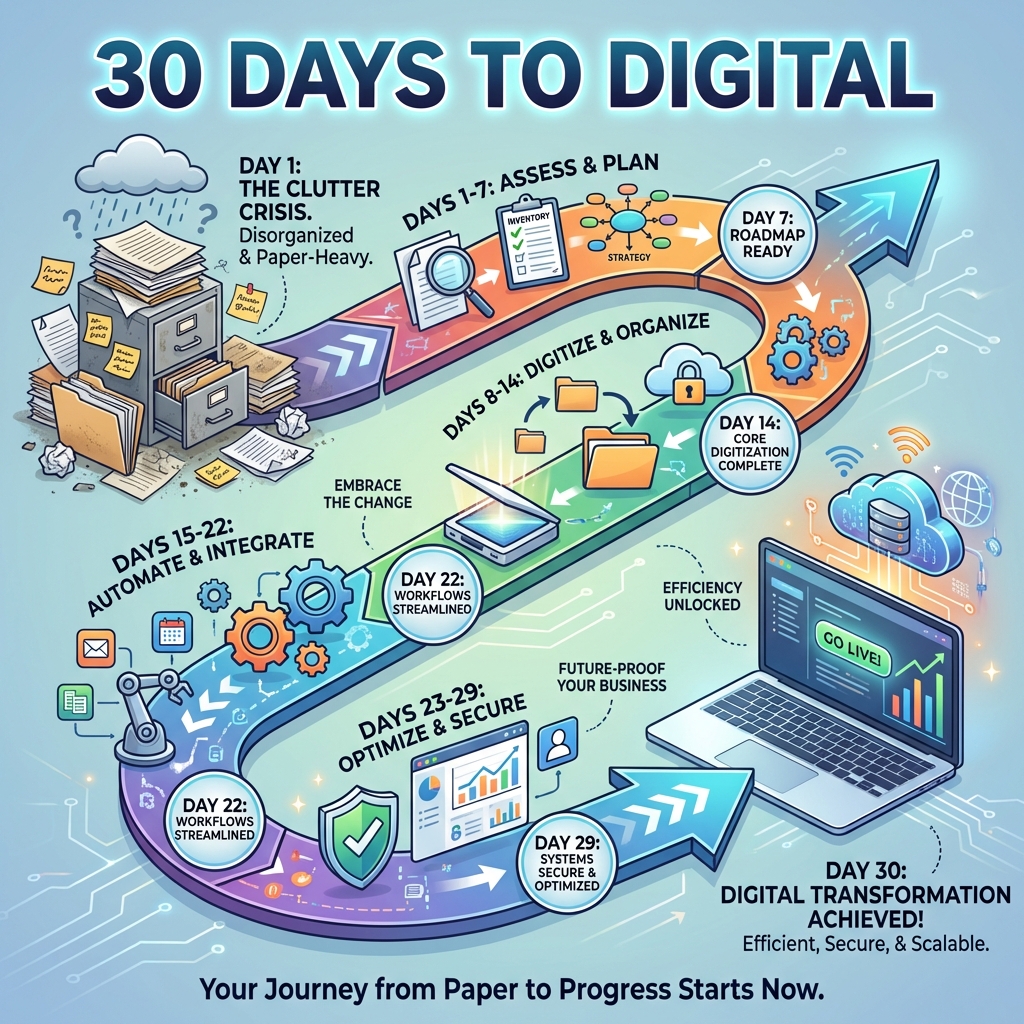
Indian schools lose an average of 15-20 hours per week on manual administrative tasks that could be automated. Fee receipts, attendance registers, report cards, and parent communication—all consuming time that could be spent on education. The good news? You can transform your school's operations in just 30 days with the right approach.
This guide provides a day-by-day roadmap for school principals and administrators to successfully digitize their school, based on our experience helping 500+ schools complete this transformation.
Why Should Schools Digitize in 2026?
Schools that digitize their operations report 25-35% improvement in fee collection rates, 15-20 hours saved weekly on administrative tasks, and significantly higher parent satisfaction scores. In 2026, digital operations aren't optional—parents expect real-time updates, online payments, and mobile access. Schools without digital systems struggle with enrollment as tech-savvy parents choose modernized institutions for their children.
This shift is also policy-driven. India's National Education Policy 2020 explicitly calls for integrating technology across school administration, assessment, and teaching. In practice, every recognised school in India already submits enrolment, staff, and infrastructure data digitally through the Ministry of Education's UDISE+ system, and national platforms such as DIKSHA have made digital content a routine part of Indian classrooms. Going digital internally is the natural next step, not a leap.
The Cost of Staying Analog
| Manual Process | Time Spent | Digital Alternative | Time Saved |
|---|---|---|---|
| Fee receipt writing | 2-3 hours/day | Auto-generated receipts | 90% |
| Attendance registers | 30 min/class/day | App-based attendance | 95% |
| Report card preparation | 2-3 weeks/term | Auto-generated cards | 80% |
| Parent communication | 1-2 hours/day | WhatsApp integration | 70% |
| Fee defaulter follow-up | 3-4 hours/week | Automated reminders | 85% |
Benefits Beyond Time Savings
- Improved Fee Collection: Online payments via UPI increase collection rates by 25-35%
- Parent Trust: Real-time updates on attendance, grades, and school activities
- Data Accuracy: Eliminate manual errors in marks, fees, and records
- Compliance Ready: Digital records for CBSE/state board inspections
- Competitive Edge: Modern schools attract more enrollments
What Do You Need Before Starting Digitization?
Before beginning your 30-day digitization journey, you need three things: existing data in any format (Excel, registers, or even paper records), commitment from school leadership to drive adoption, and selection of the right school management software. Don't worry about perfect data—most vendors offer free data migration and can work with whatever format you have.
Pre-Digitization Checklist
Data Inventory:
- Student admission records (name, class, section, parent details)
- Fee structure and payment history
- Staff information (teachers and admin)
- Academic records (marks, attendance)
- Transport routes (if applicable)
Infrastructure Check:
- Reliable internet connection (minimum 4G/broadband)
- At least one computer in the admin office
- Smartphones for teachers (personal devices work)
- Basic computer literacy among 2-3 staff members
Stakeholder Alignment:
- Principal/Management approval and support
- Budget allocation for software subscription
- Identified 1-2 staff as "digital champions"
- Communicated intent to teaching staff
Week 1 (Days 1-7): Software Selection and Setup
The first week focuses on choosing the right school management software and completing initial setup. This foundation determines the success of your entire digitization journey. Prioritize software that offers free trials, Indian payment gateway integration (Razorpay/PayU), WhatsApp notification support, and dedicated onboarding assistance.
Day 1-2: Software Evaluation
Must-Have Features:
- Fee management with online payments (UPI, cards, net banking) — see our complete guide to school fee collection best practices
- Attendance tracking (mobile app for teachers) — covered in our student attendance management guide
- Exam marks entry and report card generation
- Parent/Student portal or mobile app
- WhatsApp/SMS integration for notifications
- CBSE/ICSE compliant report card formats
Nice-to-Have Features:
- Transport management
- Library management
- Hostel management
- Payroll and HR
- Timetable generation
Questions to Ask Vendors:
- Is data migration from Excel/existing software included free?
- What is the implementation timeline?
- Do you provide training for our staff?
- What is the pricing model (per student vs fixed)?
- How does parent onboarding work?
- Is there WhatsApp integration for notifications?
Day 3-4: Sign Up and Initial Configuration
Once you've selected software (we recommend starting a free trial with 2-3 options — see our comparison of top 10 school management software in India):
- Create Admin Account: Set up the primary administrator account
- Configure School Profile: Add school name, logo, address, board affiliation
- Set Up Academic Year: Define current academic session dates
- Create Class Structure: Add all classes and sections
- Define Fee Structure: Enter your fee heads and amounts per class
Day 5-7: Data Migration
This is often the most feared step, but modern software makes it simple:
Student Data Migration:
- Export existing data to Excel (or create from registers)
- Map columns to software's import template
- Upload and verify imported records
- Cross-check a sample of 20-30 students
Fee Data Migration:
- Import fee structure per class
- Upload existing payment history (optional but recommended)
- Set up fee collection dates and fine rules
Pro Tip: Don't aim for perfect data migration in Week 1. Start with current students and basic information. You can add historical data later.
Week 2 (Days 8-14): Staff Training and Pilot Testing
Week two is about getting your team comfortable with the new system. Focus on training the admin staff first, then teachers. Run the software parallel to your existing processes—don't abandon paper yet.
Day 8-9: Admin Office Training
Train your fee collection and office staff on:
-
Fee Collection:
- Receiving cash payments and generating receipts
- Processing online payment reconciliation
- Generating fee defaulter reports
- Issuing fee reminders
-
Student Records:
- Adding new admissions
- Updating student information
- Generating bonafide certificates
- Managing student transfers
Hands-On Practice: Process 10-15 real fee payments using the software alongside manual receipts. Compare and gain confidence.
Day 10-11: Teacher Training
Focus teacher training on their daily tasks:
-
Attendance Marking:
- Using mobile app to mark attendance
- Viewing class attendance summary
- Understanding parent notification triggers
-
Marks Entry:
- Entering exam marks
- Understanding grade calculation
- Previewing report cards
Training Format: Conduct 2-hour sessions with groups of 10-15 teachers. Provide printed quick-reference guides they can keep.
Day 12-14: Pilot Testing
Run the system for 3-5 classes before school-wide rollout:
- Select 3-5 pilot classes (mix of primary and secondary)
- Teachers mark attendance daily using the app
- Office collects fees using the software (parallel to manual)
- Note issues and questions for vendor support
- Gather feedback from pilot teachers
Success Criteria for Pilot:
- Attendance marked daily without issues
- Fee receipts generated correctly
- No major data errors found
- Teachers report comfort with basic operations
Week 3 (Days 15-21): Full Rollout and Parent Onboarding
With pilot testing complete, week three extends the system to all classes and introduces parents to the digital ecosystem.
Day 15-16: School-Wide Teacher Adoption
- All-Staff Meeting: Share pilot success, address concerns
- Attendance Mandate: Make app-based attendance mandatory
- Support System: Identify tech-savvy teachers as floor helpers
- Daily Check: Admin monitors attendance completion daily
Day 17-19: Parent Onboarding
This is crucial for adoption success:
Communication Strategy:
- Send WhatsApp message/circular explaining the new parent app/portal
- Include clear download and login instructions
- Highlight benefits: online fee payment, real-time attendance, homework updates
- Set a target: 80% parents onboarded by Day 21
Parent App Introduction Message Template:
Dear Parents,

[School Name] is now digital!

Download our parent app to:
✅ Pay fees online via UPI/cards
✅ Get instant attendance notifications
✅ View your child's marks and progress
✅ Receive school announcements

Download App: [Link]
Login: Your registered mobile number
Password: [Initial password]

Need help? Contact: [Office number]

- [School Name] Administration
Day 20-21: Address Parent Queries
- Set up a help desk (physical or phone-based) for parent questions
- Create FAQ document for common issues
- Follow up with non-registered parents individually
- Celebrate hitting 80% parent registration milestone
Week 4 (Days 22-30): Optimization and Sustainability
The final week focuses on making digitization sustainable and capturing the efficiency gains.
Day 22-24: Discontinue Parallel Systems
- Stop Manual Attendance: Remove paper registers from classrooms
- Digital-Only Receipts: Generate all fee receipts through software
- Online Payments Encouraged: Display QR codes, share payment links
- Address Holdouts: One-on-one support for struggling staff/parents
Day 25-27: Process Optimization
Now that basic operations are digital, optimize:
- Automated Reminders: Set up fee reminder schedule (7 days, 3 days, due date)
- Attendance Alerts: Configure instant SMS/WhatsApp for absentees
- Report Templates: Customize report card format for your school
- Communication Templates: Create reusable templates for announcements
Day 28-30: Review and Celebrate
-
Metrics Review:
- What percentage of fees collected online vs cash?
- How many hours saved on attendance and receipts?
- What is parent app adoption rate?
-
Feedback Collection:
- Survey teachers on experience
- Gather parent feedback
- Note areas for improvement
-
Celebrate Success:
- Acknowledge digital champions
- Share before/after efficiency gains
- Plan next phase (exam marks, report cards)
Common Challenges and Solutions
Challenge 1: Staff Resistance
Solution: Start with volunteers, demonstrate time savings, provide ample training. Peer pressure from early adopters helps convert skeptics.
Challenge 2: Poor Internet Connectivity
Solution: Use software with offline capability. Most school apps can queue attendance/data and sync when connected. Consider backup mobile hotspot.
Challenge 3: Parents Not Tech-Savvy
Solution: Offer in-person registration help during PTM. Create video tutorials in local language. Remember: if they use WhatsApp, they can use your app.
Challenge 4: Data Entry Errors
Solution: Bulk upload from Excel minimizes manual entry. Assign data verification tasks to staff. Cross-check critical data (names, fees) during first month.
Challenge 5: Choosing Wrong Software
Solution: Always take a 14-day free trial before committing. Test with real data and real users. Ensure responsive support during trial period.
30-Day Digitization Checklist Summary
Week 1: Foundation
- Day 1-2: Evaluate and select software
- Day 3-4: Initial setup and configuration
- Day 5-7: Data migration (students, fees)
Week 2: Training
- Day 8-9: Admin office training
- Day 10-11: Teacher training
- Day 12-14: Pilot testing (3-5 classes)
Week 3: Rollout
- Day 15-16: School-wide teacher adoption
- Day 17-19: Parent onboarding campaign
- Day 20-21: Support and query resolution
Week 4: Optimization
- Day 22-24: Discontinue parallel systems
- Day 25-27: Process optimization and automation
- Day 28-30: Review metrics and celebrate
What Happens After Day 30?
Digitization is a journey, not a destination. After the initial 30 days:
Month 2-3:
- Conduct first exam marks entry digitally
- Generate first set of digital report cards
- Enable library and transport modules (if applicable)
Month 4-6:
- Analyze fee collection improvement data
- Add advanced features (payroll, timetable)
- Train staff on analytics and reporting
Ongoing:
- Regular software updates and training
- Annual data cleanup and verification
- Continuous parent engagement improvements
Start Your Digitization Journey Today
Ready to transform your school in 30 days? ManabiApp is designed specifically for Indian schools making this transition:
- Free Data Migration: We import your Excel data at no extra cost
- Dedicated Onboarding: Personal onboarding manager for first 30 days
- WhatsApp Integration: Built-in notifications parents actually read
- Razorpay Payments: UPI, cards, and net banking—money to your account
Start Your 14-Day Free Trial or Book a Demo to see how 500+ schools completed their digitization journey with ManabiApp.
Frequently Asked Questions
How long does it take to digitize a school?
A school can complete basic digitization in 30 days with the right approach. Week 1 covers software selection and setup, Week 2 focuses on staff training and pilot testing, Week 3 handles full rollout and parent onboarding, and Week 4 optimizes processes and discontinues paper systems.
What do schools need before starting digitization?
Schools need three things: existing data in any format (Excel, registers, or paper records), commitment from school leadership, and selection of the right school management software. Most vendors offer free data migration and can work with whatever format you have.
How much time can schools save by going digital?
Schools that digitize operations save 15-20 hours weekly on administrative tasks. Fee receipt writing time reduces by 90%, attendance tracking by 95%, report card preparation by 80%, and parent communication by 70% compared to manual processes.
What are the biggest challenges when digitizing a school?
The main challenges are staff resistance, poor internet connectivity, parents not being tech-savvy, data entry errors, and choosing wrong software. Solutions include starting with volunteers, using offline-capable apps, offering in-person help, and always taking free trials before committing.
Ready to Modernize Your School?
ManabiApp helps 500+ Indian schools save time, collect more fees, and keep parents happy. Start your free trial today.